
 English
 Spanish
What Is Social Engineering? Protect Kids Online | TheWiSpy
Posted in Cyberbullying by Julie
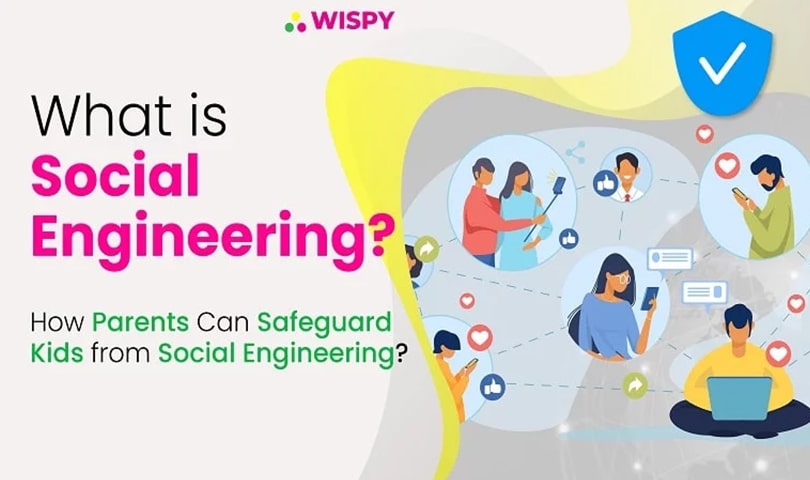
What Is Social Engineering? How Can Parents Protect Kids Online?
Have you ever wondered how cybercriminals trick people into revealing private information without breaking into their devices? Social engineering is a form of manipulation that exploits human trust, curiosity, fear, or urgency to steal sensitive information or gain unauthorized access to accounts and systems. Children and teenagers can be particularly vulnerable because they often interact with strangers, share personal details, and communicate with friends online.
Fortunately, parents can reduce these risks by teaching children about online deception, encouraging responsible digital habits, and using appropriate parental controls. First, let’s understand how these scams work and why awareness matters.
What Is Social Engineering?
Social engineering is a cyberattack technique in which criminals manipulate people into revealing confidential information, clicking malicious links, downloading harmful software, or granting unauthorized access. Instead of relying solely on technical vulnerabilities, attackers exploit human emotions and trust.
For example, a scammer might pretend to be a child’s friend, a school representative, a technical support agent, or a trusted online personality. Once the victim feels comfortable, the attacker may request a password, personal photograph, verification code, or other sensitive information.
According to Imperva’s explanation of social engineering attacks, these attacks use deception to influence victims into taking actions that benefit the attacker.
In other words, the criminal manipulates the person rather than simply attacking the device. As a result, even someone using modern security software can become a victim if they trust the wrong person or respond to a convincing scam.
Why Do Cybercriminals Use These Tactics?
Cybercriminals use psychological manipulation for several reasons. Although their methods vary, their ultimate goals often involve stealing information, obtaining money, or gaining unauthorized access.
Common motivations include:
- Identity theft: Criminals collect personal information to impersonate victims or misuse their accounts.
- Financial fraud: Attackers attempt to obtain banking details, payment information, or money.
- Account theft: Stolen passwords and verification codes can help criminals take control of email, gaming, or social media accounts.
- Malware distribution: Fraudulent links and downloads can install malicious software on devices.
- Corporate espionage: Attackers may target employees to obtain confidential business information or disrupt operations.
Therefore, understanding these motives helps parents recognize suspicious requests before their children respond.
How Does Social Engineering Work?
These attacks often develop over several stages. However, not every incident follows the same sequence; some scams happen within minutes, while others involve weeks of communication.
1. Information Gathering
First, the attacker collects publicly available details about the target. These might include a person’s name, school, interests, friends, location, or online activities.
For instance, a public social media profile may reveal enough information for a scammer to create a believable story.
2. Building Trust
Next, the criminal contacts the target and attempts to establish a relationship. They might pose as a classmate, an online gaming friend, a popular creator, or someone offering help.
Over time, this interaction can make the victim feel comfortable. Consequently, they may become less cautious about sharing personal information.
3. Manipulation and Exploitation
Once trust has developed, the attacker makes a request. They may ask the victim to click a link, disclose a password, share a verification code, send money, or install an application.
In some cases, the criminal creates urgency by claiming that an account will be suspended or that a prize will expire soon. This pressure discourages the victim from thinking carefully.
4. Disengagement
Finally, the attacker may disappear after obtaining the desired information or access. Alternatively, they might continue communicating with the victim to extract additional details or money.
For this reason, children should understand that an online relationship is not automatically safe just because someone has been friendly for a long time.
Related reading: Catfishing and Online Deception.
Why Are Children and Teenagers at Risk?
Children increasingly use social media, messaging platforms, online games, and other digital services to communicate and learn. Although these technologies provide valuable opportunities, they can also expose young users to deceptive people and suspicious content.
For example, a stranger may pretend to share a child’s interests to gain their confidence. Similarly, a fake gaming reward might encourage a teenager to reveal login credentials.
Moreover, children may not recognize emotional manipulation, particularly when an attacker offers friendship, threatens embarrassment, or promises an exciting reward.
Parents should therefore discuss online safety openly rather than relying solely on restrictions. When children feel comfortable asking for help, they are more likely to report suspicious interactions before serious harm occurs.
What Do Social Engineering Attacks Look Like?
These scams do not always resemble traditional hacking. Instead, they often appear as ordinary messages, friendly conversations, exciting offers, or urgent requests.
Here are some common examples parents should explain to their children.
1. A Suspicious Message From a Friend
A compromised account may send a message containing an unexpected link or attachment. Since the message appears to come from someone familiar, the recipient may trust it.
However, children should verify unusual requests directly with the friend through a separate communication channel before opening links or files.
2. Fake Giveaways and Prize Offers
Scammers sometimes promise free gifts, gaming rewards, discount coupons, or exclusive access. In exchange, they may request passwords, personal details, payment information, or a small fee.
Although these offers can appear attractive, children should avoid providing sensitive information to claim an unexpected prize.
3. An Online Friend Asking for a Password
A person met through social media or gaming might claim they need a password or verification code to help resolve a problem.
Nevertheless, legitimate friends do not need a child’s account password. Teach children never to share passwords or one-time verification codes, even with someone they believe they know.
4. Fake Technical Support
A scammer might pretend to represent a familiar technology company and claim that a device has a security problem. They may then ask the child to install software, click a link, or provide remote access.
In such situations, children should stop responding and ask a trusted adult for help.
5. Impersonation and Emotional Manipulation
Some attackers pretend to be someone the child admires or trusts. They may use flattery, guilt, threats, or promises to pressure the child into sharing photographs or private information.
As a result, parents should explain that children can end any conversation that makes them uncomfortable, regardless of how long they have known the person online.
For additional context, read our guide to identity theft and protecting your online presence.
How Can Parents Protect Kids From Social Engineering?
Although these threats can have serious consequences, parents can take practical steps to reduce the risk. The goal is not to make children afraid of technology; instead, it is to help them recognize suspicious behavior and respond safely.
1. Maintain Open Communication
Start by talking regularly with your children about their online experiences. Ask which platforms they use, whom they communicate with, and whether anyone has made them feel uncomfortable.
More importantly, make it clear that they will not be blamed for reporting a suspicious message or mistake. Children who expect punishment may hide problems, allowing an attacker more time to manipulate them.
You can also discuss common cyber threats and online dangers to help children recognize unsafe situations.
2. Review Privacy Settings Together
Next, help children review the privacy settings on their social media and messaging accounts. Whenever possible, limit profile visibility, restrict unwanted messages, and review who can see their posts.
Additionally, encourage them to avoid publicly sharing their home address, school details, daily routines, phone number, or live location.
Remember that even small details can help a stranger create a convincing identity or guess a child’s security questions.
3. Teach Children to Recognize Suspicious Links
Explain that unexpected messages, urgent warnings, and offers that seem too good to be true deserve extra attention.
Before clicking a link, children should check who sent it and whether the request makes sense. If something seems unusual, they should visit the official website independently rather than using the supplied link.
Likewise, they should never download attachments or applications from unknown sources.
4. Keep Devices and Applications Updated
Software updates often include important security fixes. Therefore, enable automatic updates when practical and download applications through official app stores or trusted websites.
Furthermore, teach children to avoid installing programs at the request of an online stranger. If an application requests unusual permissions, they should ask a parent to review it first.
5. Use Standard User Accounts
Where supported, consider using a standard account for your child’s everyday computer activities instead of granting administrator privileges.
This approach can limit the changes a child or malicious program can make to the system. However, it does not prevent every attack, so combine account restrictions with updated security software and ongoing supervision.
6. Use Parental Controls Responsibly
Parental control tools can help families manage screen time, filter inappropriate websites, review certain activity, and establish age-appropriate digital boundaries.
However, these tools work best alongside communication and education. They cannot reliably identify every deceptive message or prevent every manipulation attempt.
Choose a solution that respects your child’s age, privacy, and needs. For more information, explore our guide to parental control tools.
7. Teach Children Never to Share Passwords or Verification Codes
Passwords and one-time verification codes should remain private. Even if someone claims to be a friend, a gaming administrator, or a support representative, children should not share these credentials.
Whenever possible, enable multifactor authentication and use unique passwords for important accounts. A password manager can also help families manage strong passwords securely.
8. Encourage Children to Report Problems Immediately
If a child clicks a suspicious link, shares a password, or sends private information, respond calmly. Quick action can reduce the damage.
Depending on what happened, help your child change compromised passwords, sign out of unfamiliar sessions, enable multifactor authentication, block and report the suspicious account, and contact the relevant service or financial institution if necessary.
Additionally, preserve relevant messages or screenshots when safe to do so. If someone threatens, blackmails, or exploits a child, seek appropriate help from the platform and relevant authorities.
Looking for a Parental Control App?
If you want additional support managing your child’s digital environment, consider exploring TheWiSpyand its available parental control features.
Before choosing any monitoring application, review its current capabilities, compatibility, privacy policy, and data security practices. Select tools that support your family’s needs and follow applicable laws.
Most importantly, explain any monitoring measures to your child in an age-appropriate way. Building trust and encouraging honest conversations are essential parts of online safety.
Frequently Asked Questions
What is social engineering in simple terms?
It is a form of deception in which someone manipulates another person into sharing confidential information, clicking a malicious link, sending money, or granting access to an account or device.
Why are children vulnerable to these attacks?
Children may have limited experience identifying scams and can be influenced by friendship, fear, curiosity, or promises of rewards. Their online interactions can also reveal personal information that criminals use to create convincing messages.
How can parents recognize a possible attack?
Watch for unexpected requests for passwords or verification codes, urgent messages, suspicious links, unusual prize offers, and online contacts who pressure children to keep secrets or share private information.
Can parental control apps prevent every attack?
No. Parental controls can help filter content and establish digital boundaries, but they cannot eliminate all scams or emotional manipulation. Education, open communication, account security, and appropriate supervision remain essential.
What should a child do after sharing private information?
The child should tell a trusted adult immediately. Together, they can secure affected accounts, change compromised passwords, revoke suspicious access, report the account, and seek further assistance if financial information or personal safety is involved.
Final Thoughts
Social engineering remains an important online safety concern because it targets human trust rather than relying exclusively on technical weaknesses. Children and teenagers may encounter deceptive messages, fake friendships, phishing links, and manipulative requests while using social media or online games.
Fortunately, parents can reduce these risks by encouraging open communication, strengthening privacy settings, teaching children to verify suspicious requests, and using appropriate security tools. Ultimately, the strongest protection combines practical safeguards with the confidence to question unusual requests and ask for help.

Related Posts
Types of Cyberbullying: What Parents Should Know
Types of Cyberbullying: What Parents Should Know Cyberbullying can take...
Read More
Signs of Cyberbullying Every Parent Should Know
Signs of Cyberbullying Every Parent Should Know Cyberbullying — which...
Read More
How Internet Trolling is Cultivating Culture of Hate?
Trolling has become a headache for internet users. But don’t...
Read More
Install TheWiSpy Monitor App Now and Start Exploring Your Kid’s and Employee’s Digital Space
- Protect Your Kids
- Secure Your Business
- Backup Personal Data

 Affiliate Login

 Spanish