
 English
 Spanish
Kaspersky Safe Kids Review: Is It Worth It in 2026?
Posted in TheWiSpy alternatives by admin
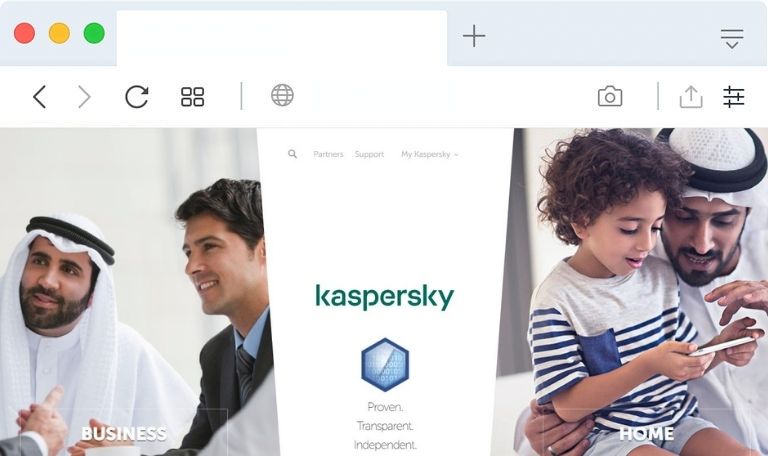
Kaspersky Safe Kids Review: Is This Parental Control App Worth It?
This Kaspersky Safe Kids review looks at one of the best-known parental control apps from a major antivirus brand. Kaspersky Safe Kids helps parents manage screen time, filter websites, and see where their children are. Online risks such as cyberbullying and contact from strangers keep growing, so many families want a simple way to set boundaries. Below, we cover what the app does, which devices it supports, how to install it, and what it costs.
Availability note: Kaspersky’s products are restricted or discontinued in some regions, including the United States since 2024. Confirm that the app is available where you live before you subscribe.
What Is Kaspersky Safe Kids?
Kaspersky Safe Kids is a parental control app that lets parents manage how children use phones, tablets, and computers. It combines content filtering, app and time limits, and location tools in one dashboard. If you’re new to the category, our guide to parental control apps explains the basics.
How Does It Work?
First, you create a parent account and add a profile for each child. Next, you install the app on your child’s device and sign in. From then on, you manage rules from your own phone or the My Kaspersky web portal. Parents should sit down with their child during setup and explain which features are on and why. Kids who understand the rules are less likely to look for workarounds.
Which Devices Does It Support?
The app works on Android, iOS, Mac, and Windows. As a result, one subscription can cover a mix of phones and computers. Feature availability differs by platform, so check Kaspersky’s support page for your devices.
Kaspersky Safe Kids Features
Content Filtering
The web filter blocks categories of unsuitable sites, including adult content, and can be adjusted by age. It helps younger children avoid accidental exposure. However, no filter is perfect, so keep talking with your child about what they see online.
App Control and Time Limits
Parents can set age-based rules for apps and limit daily screen time. When the limit is reached, the app blocks device use or specific apps, depending on the platform. Schedules can also separate homework time from free time.
Location Tracking and Geofencing
A map shows your child’s device location. In addition, you can mark safe areas such as home or school and get alerts when your child enters or leaves them. Tell your child that location sharing is on, so it works as a safety tool rather than a source of conflict.
YouTube Safe Search
This feature limits YouTube search results to age-appropriate content and lets parents review search history. It works much like YouTube Kids, with added oversight.
Other Features
Parents can also check the device’s battery level and receive instant alerts about activity on the child’s device.
How to Install Kaspersky Safe Kids
Menu names and steps may change, so use the official setup instructions if something looks different.
Android and iOS
- Open Google Play or the App Store on your child’s device.
- Search for Kaspersky Safe Kids and install it.
- Sign in with your My Kaspersky account and select the child’s profile.
- Grant the permissions the app asks for.
- Optionally, install the app on your own phone to manage rules from there.
Mac and Windows
- Open a browser on your child’s computer and go to the official Kaspersky download page.
- Choose the Mac or Windows version and install it.
- Sign in with your My Kaspersky account.
- Assign the device to your child’s profile.
How Much Does It Cost?
Kaspersky has offered Safe Kids as an annual subscription at a low price, historically around $14.99 per year, with a limited free version. Prices and plans change often, so check the official pricing page for current offers in your region.
Are There Alternatives?
Yes. Google Family Link and Apple Screen Time are free and built into their platforms. Qustodio and Bark are strong paid options. For a wider comparison, read our roundup of top parental control apps.
The Verdict
Kaspersky Safe Kids offers solid core features at a low price: content filtering, time limits, location tools, and YouTube safeguards. It suits families who want an affordable, all-in-one tool across several devices. Even so, availability varies by country, so confirm it is offered where you live. Whichever app you choose, pair it with open conversations, because trust protects children better than software alone.
What has your experience been with Kaspersky Safe Kids? Share your thoughts in the comments.
Related reading: TheWiSpy Review is the only link I kept from the old “Read Also” line. Please remove it if that page promotes hidden monitoring. You may prefer to link to what a parental control app is and why you need one instead.

Related Posts
GuestSpy Review 2026: Is It Safe to Use? | TheWiSpy
This GuestSpy review answers a simple question first: is the...
Read More
XNSpy Review 2026: Features, Pricing & Safety | TheWiSpy
This XNSpy review looks at what the app does, which...
Read More
TheTruthSpy Review 2026: Is It Safe? Risks & Alternatives
This TheTruthSpy review answers one question first: is the app...
Read More
Install TheWiSpy Monitor App Now and Start Exploring Your Kid’s and Employee’s Digital Space
- Protect Your Kids
- Secure Your Business
- Backup Personal Data

 Affiliate Login
 Spanish