
 English
 Spanish
Is Your Child Talking to an AI Chatbot? What Parents Should Know
Posted in Uncategorized by admin
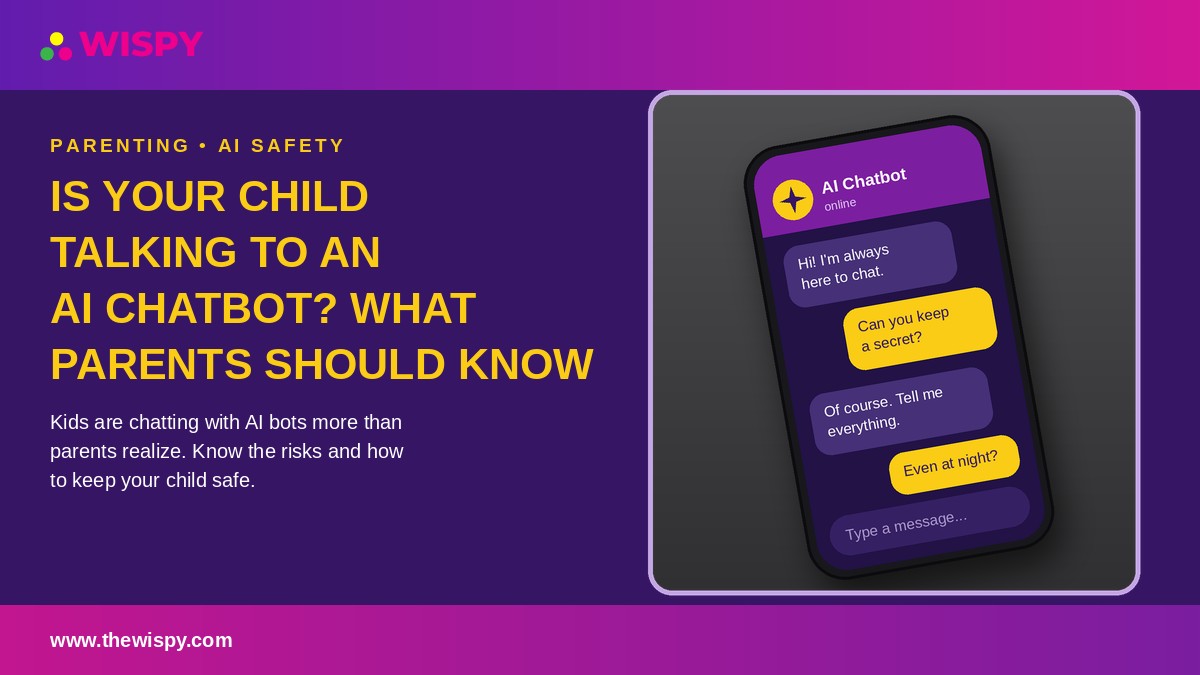
Your child is doing homework at the kitchen table, laughing at something on their phone. You assume it is a group chat or a video. But more and more often, the other side of that conversation is not a friend at all. It is an AI chatbot, which is why AI chatbot parental controls matter more than ever.
AI chatbots have moved from novelty to everyday tool in just a few years. For example, kids use them to explain math problems, write stories, practice languages, and, increasingly, to talk about their feelings. That can be useful, but it also opens risks that most parents never had to think about with earlier technology.
This guide explains what AI chatbots are, why children love them, what can go wrong, and how to set up practical AI chatbot parental controls at home. You do not need to be technical. Instead, you only need to stay curious and involved.
Why AI Chatbot Parental Controls Matter: Kids Love Chatbots
To a child or teen, a chatbot has several qualities that make it very appealing:
- It is always available. There is no waiting for a reply, no scheduling, and no one saying "not now."
- It never judges. Because of this, kids can ask embarrassing questions about their bodies, friendships, or mistakes without fear of being laughed at.
- It is endlessly patient. For instance, a chatbot will explain the same fraction ten times without sighing.
- It feels personal. In fact, many bots remember details, use a friendly tone, and mirror the user’s mood, which can feel like genuine care.
According to research from Common Sense Media, a large share of teens have already tried AI companions, and many use them regularly. In other words, whether your child is eight or seventeen, there is a good chance they have at least experimented with one.
The point is not to panic. Overall, most of this use is harmless curiosity or homework help. Rather, the point is to know what your child is using and to keep the conversation open.
AI Chatbot Parental Controls by Type: 4 Kinds of Chatbots to Know
Not all chatbots are the same, and the risk level varies a lot depending on the type.
1. General-purpose AI assistants
These are tools designed for answering questions, writing, and problem solving. Kids often use them for school. They usually have content filters, but those filters are not perfect, and many require users to be 13 or older (or 18, depending on the service).
2. AI companion and role-play apps
These apps let users create or chat with a character, such as a "best friend," a fictional hero, or even a romantic partner. They are designed to build emotional connection and keep users coming back. As a result, this category generally carries the highest risk for children and teens.
3. Chatbots built into apps your child already uses
Some social and messaging platforms now include an AI assistant inside the chat list, sitting right next to real friends. Because it lives inside a familiar app, kids may not even think of it as "an AI."
4. AI inside games and creative tools
Games, homework helpers, and image tools increasingly include AI features. These are easy to overlook because they do not look like chatbots at all.
Risks That AI Chatbot Parental Controls Help Reduce
AI is not inherently dangerous, but it was mostly built for adults, and children are not small adults. Here are the main concerns.
Inappropriate or harmful content
Even with filters, chatbots can sometimes produce sexual, violent, or otherwise age-inappropriate responses, especially in role-play settings where a user can steer the conversation. Companion apps in particular may allow romantic or sexualized conversations unless strict age controls are in place.
Emotional dependence
A chatbot that always agrees, always responds, and always seems to care can become a substitute for real relationships. Children who are lonely, anxious, or socially struggling may be especially drawn to it. Eventually, this can make real-world friendships feel harder and less rewarding by comparison.
Poor handling of serious problems
Chatbots are not therapists, doctors, or crisis counselors. A child who shares thoughts about self-harm, an eating disorder, or abuse may receive a response that is unhelpful, inaccurate, or even harmful. For this reason, major health organizations, including the American Psychological Association, have urged caution about young people relying on AI for emotional support.
Misinformation
Chatbots can state false information with great confidence. Consequently, a child who treats every answer as fact may learn something incorrect about health, history, or safety without realizing it.
Privacy and data collection
Kids tend to overshare. For example, they may type their full name, school, address, photos, or family problems into a chat. Depending on the service, that information may be stored or used to train future systems. In the United States, the Federal Trade Commission’s COPPA guidance sets rules for collecting data from children under 13, but enforcement varies and many apps rely on children simply stating their age.
Academic honesty and learning
When a chatbot writes the essay or solves every problem, children miss the struggle that builds real skills. Schools are also getting better at spotting AI-written work, so the consequences can be real.
Warning Signs Your Child Needs AI Chatbot Parental Controls
One chat about homework is nothing to worry about. However, pay attention if you notice patterns like these:
- Your child hides their screen or quickly switches apps when you walk in.
- They spend hours chatting and lose interest in friends, hobbies, or family time.
- They refer to a chatbot as if it were a real friend, partner, or confidant.
- Their mood changes noticeably when they cannot access the app.
- They stay up late chatting, and their sleep or grades are slipping.
- They quote advice from "the AI" on serious personal or health matters.
- New, unfamiliar apps appear on their phone.
Therefore, if you see several of these together, it is time for a calm, caring conversation, not a punishment.
How to Talk to Your Child About AI Chatbots
The most effective protection is not software. It is trust. In fact, kids who feel safe telling you things are far less likely to hide risky behavior.
Start with curiosity, not accusation. Try: "I have been hearing a lot about AI chatbots. Have you tried any? What do you like about them?" Then, let them teach you something.
Explain what AI really is. Younger children especially need to hear that a chatbot is a program predicting words, not a person with feelings. In other words, it does not truly know or care about them, even if it sounds like it does.
Set the "never share" rules. Agree that they will never type their full name, address, school, phone number, passwords, or private photos into any chatbot.
Make it clear they can come to you. Say it out loud: "If a chatbot ever says something weird, scary, or makes you uncomfortable, tell me. You will not be in trouble."
Encourage real connection. Gently remind them that people, friends, family, and trusted adults, can offer things no program can.
7 Steps to Set Up AI Chatbot Parental Controls at Home
Conversation comes first, but practical safeguards help too. Here is a step-by-step approach.
Step 1: Check age limits and AI chatbot parental controls
Read the terms of any chatbot your child uses. Many services restrict younger users, and some offer teen modes or parental settings. After that, turn on every available safety option and avoid apps that offer no age protections at all.
Step 2: Use your device’s built-in controls
Both Android and iPhone let you restrict app downloads, set content ratings, and limit screen time. Require approval before new apps are installed so you always know what is on the phone.
Step 3: Install an app for stronger AI chatbot parental controls
A reliable parental control app strengthens your AI chatbot parental controls by giving you a fuller picture than built-in settings alone. With app monitoring, you can see which apps your child has installed and how much time they spend in each, which quickly shows whether an AI companion app has crept in. If you are comparing options, our guide to the best parental control apps for kids’ safety is a good place to start, and Android families can also read our roundup of the top parental control apps for Android.
Step 4: Review web activity
Additionally, many chatbots are used through a browser, not an app. That is why tools that let you monitor browser history show which AI sites your child visits and how often, so you can spot unfamiliar services early.
Step 5: Keep an eye on social platforms
Meanwhile, AI features are now built into popular social apps. Social media monitoring helps you understand how your child uses those platforms and whether risky conversations or contacts are appearing.
Step 6: Set healthy time limits and quiet hours
Late-night chatting is a common pattern with companion apps. Set daily limits and phone-free bedtime hours so that sleep, homework, and family time are protected. Turning on 24/7 instant alerts can also notify you about unusual activity so you can follow up with a conversation rather than finding out weeks later.
Step 7: Review together, regularly
Choose a weekly or monthly check-in. Look at the apps your child uses, talk about anything surprising, and adjust the rules as they grow. As a result, controls that evolve with your child work far better than rules that stay fixed.
A note on transparency: monitoring works best when children know about it. Therefore, explain that the goal is safety, not spying, and agree on what you will review. Tools like these are intended for the lawful, ethical supervision of your own minor children. If you are curious how this works in practice, see how TheWiSpy works, check device compatibility, or view the pricing options. It is also important to understand what any tool can and cannot see, since no software can read every private conversation inside every app.
What to Do If a Chatbot Conversation Worries You
If you discover something concerning, stay calm. This matters because your reaction will decide whether your child opens up or hides further.
- Listen first. Ask what happened and how they felt before you react.
- Save evidence such as screenshots if the content was inappropriate or threatening.
- Report the problem to the app or platform, and block or delete the account if needed.
- Get professional help if your child has shared thoughts of self-harm or appears distressed. In the United States, you can call or text 988 to reach the 988 Suicide & Crisis Lifeline, and a pediatrician or school counselor can guide next steps.
- Report exploitation. If an adult or any content seems to target your child sexually, contact the National Center for Missing & Exploited Children and local law enforcement.
AI Chatbot Parental Controls: Frequently Asked Questions
Is it safe for kids to use AI chatbots?
It depends on the child’s age, the type of chatbot, and how it is used. Supervised use of a general assistant for homework help is very different from private, hours-long conversations with an AI companion. For this reason, younger children should only use AI with an adult present.
What age is appropriate for AI chatbots?
There is no universal rule. Many services set minimum ages of 13 or 18 in their terms, and you should follow them. In addition, consider your child’s maturity, and keep use supervised and purposeful in the early teen years.
Can AI chatbot parental controls show what my child says?
It depends on the app and the device. Parental control software can show which apps and websites your child uses and for how long, but it may not capture every conversation. That is why open communication matters as much as technology.
Should I ban AI chatbots or use AI chatbot parental controls?
A complete ban often pushes use out of sight. Most experts recommend clear rules, supervision, and ongoing conversation instead, with stricter limits on companion and role-play apps.
How can I tell if my child is emotionally attached to a chatbot?
Watch for secrecy, distress when separated from the app, withdrawal from friends, and talk about the bot as a real person. If you notice these signs, speak with your child and consider involving a counselor.
Final Thoughts on AI Chatbot Parental Controls
AI chatbots are not going away, and your child will almost certainly use them, if they are not already. The goal is not to fear the technology but to guide it. Talk openly, set clear boundaries on privacy and time, choose age-appropriate tools, and use reliable AI chatbot parental controls so you can step in when something does not look right.
The children who do best are not the ones who are shielded from every risk. They are the ones who know a caring adult is paying attention and ready to help.
Ready to get a clearer view of your child’s digital world? Explore TheWiSpy’s parental control features, or check out the Android monitoring app to get started today.
Useful resources for parents
- Common Sense Media: age ratings and reviews for apps, including AI products
- Federal Trade Commission: Children’s Privacy: rules on collecting data from kids
- American Psychological Association: guidance on youth mental health and technology
- 988 Suicide & Crisis Lifeline: free, confidential support in the U.S.
- National Center for Missing & Exploited Children: reporting and prevention resources
Disclaimer: This article is for general information and is not medical, legal, or mental health advice. Monitoring tools should only be used lawfully and ethically, to supervise your own minor children.

Related Posts
Roblox Safety for Parents: 8 Settings to Turn On Today
Your child runs over with a tablet and announces that...
Read More
Best Parental Control Apps Compared (2026)
Finding the best parental control apps for your family isn't...
Read More
Install TheWiSpy Monitor App Now and Start Exploring Your Kid’s and Employee’s Digital Space
- Protect Your Kids
- Secure Your Business
- Backup Personal Data

 Affiliate Login
 Spanish