
 English
 Spanish
Instagram Safety for Parents: Teen Accounts & Supervision (2026)
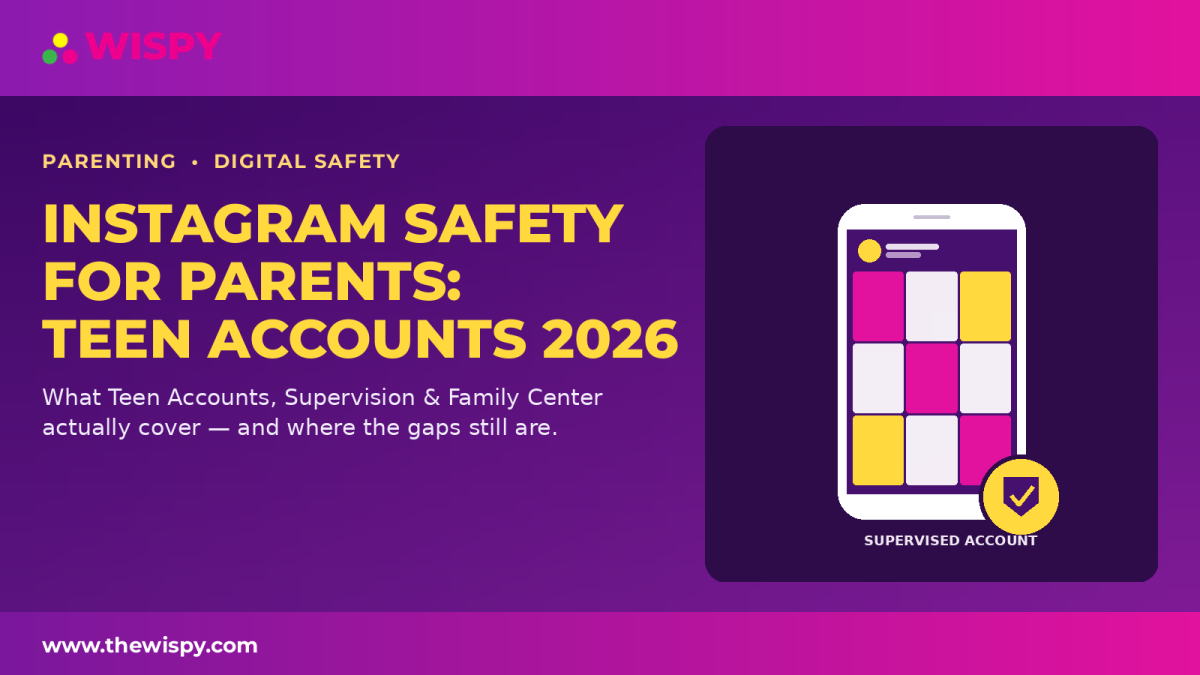
Instagram safety for parents is an important topic in 2026, especially as Instagram continues to expand Teen Accounts, Supervision, and Family Center features. It can be confusing to understand exactly what Teen Accounts, Supervision, and Family Center each do. This guide explains the current Instagram safety features for parents, what they cover, what parents can see, and where the remaining gaps are. For the latest information directly from Meta, parents can also review Meta’s 2026 update on Instagram supervision tools. Teen Accounts are Instagram’s default safety layer for younger users. Meta says teens under 18 are automatically placed into age-appropriate Teen Account protections, with additional restrictions applying to younger teens in some situations. Depending on the account, region, and age of the teen, built-in protections can include: Meta has also expanded its Teen Account content protections in 2026. The updated 13+ content setting is being expanded globally, while parents can choose a stricter Limited Content setting where available. For younger teens, Instagram requires greater parental involvement before certain protections can be loosened. Meta has previously introduced parental approval requirements for changes to certain safety and privacy settings for teens under 16. This makes age an important part of Instagram safety for parents. Families should revisit the settings as a teen gets older rather than assuming the same controls will remain in place indefinitely. Supervision is the active parental-control layer that works alongside Teen Accounts. Parents and guardians can use Family Center to manage and understand parts of their teen’s Instagram experience. Meta has expanded Family Center during 2026, making it a central place for supervising experiences across several Meta services. Parents with supervised accounts can also receive additional insights into the topics and interests shaping their teen’s Instagram recommendations. Depending on the features available to the account and region, supervision can provide parents with information or controls related to: Meta’s current Family Center updates are designed to give parents more meaningful visibility without turning supervision into unrestricted access to a teen’s private communications. This is one of the most important questions in any guide to Instagram safety for parents. No, Instagram Supervision is not designed to give parents a general inbox view of their teen’s private Instagram messages. Supervision focuses on controls, settings, activity information, and selected safety signals rather than providing parents with a complete transcript of private conversations. There are, however, specific safety-related signals that Instagram can share with supervising parents. For example, Meta announced in August 2026 that parental alerts about repeated searches for suicide or self-harm-related terms are available globally for supervising parents. This distinction matters: activity and safety alerts are not the same thing as access to the contents of private DMs. Instagram’s map features allow users to choose whether and with whom they share their location. Location sharing is optional rather than automatically enabled for everyone. For parents using supervision, Instagram provides additional visibility and controls around a teen’s location-sharing experience. Meta says supervising parents can receive a notification when their teen starts sharing their location and can see who the teen is sharing it with. Because location sharing can be easy to overlook, it should be included in any family’s Instagram safety review. If you’re setting up Instagram for a child or teenager, don’t focus on just one setting. A better approach is to review the account as a complete safety system. For additional guidance, see our social media safety guide for parents and our parental controls guide. One of the biggest misconceptions about Instagram safety for parents is that enabling Supervision gives parents complete access to their teen’s Instagram activity. It does not. Instagram’s built-in tools are primarily designed around: They are not intended to function as a complete surveillance system that allows parents to read every private conversation. That distinction is important when deciding what level of parental oversight your family actually needs. Instagram’s parental controls are continuing to evolve. In 2026, Meta introduced additional supervision insights that allow parents to better understand the general topics influencing their teen’s algorithm. Meta has also introduced additional safety notifications for supervising parents. As of August 2026, parents using supervision can receive alerts when Instagram detects repeated searches for terms related to suicide or self-harm within a short period. These developments mean that Instagram safety for parents is no longer limited to basic privacy and screen-time settings. Parents can receive more contextual information about parts of their teen’s experience, although these features still do not amount to unrestricted access to private conversations. No parental-control setting can replace an ongoing relationship and conversation with a teenager. Technical controls can reduce exposure to certain risks, but communication remains an important part of online safety. If there is a specific and serious safety concern, parents may want to consider additional resources or professional guidance rather than relying exclusively on Instagram’s built-in tools. No. Family Center and Instagram Supervision provide parental controls, activity information, settings visibility, and certain safety alerts. They are not designed to give parents unrestricted access to the contents of their teen’s private DMs. Instagram’s supervision system is designed as a collaborative parental-control feature rather than covert monitoring. Meta describes Supervision as a system that involves the teen and parent or guardian. Some parental approval requirements and default protections depend on the teen’s age. In particular, Meta has implemented stronger parental approval requirements for younger teens, so parents should revisit settings as their teen gets older. Teen Account protections can meaningfully reduce certain risks, but no social platform can guarantee that a teenager will never encounter inappropriate content, unwanted contact, or other online risks. Parents should combine the available safety settings with age-appropriate conversations and supervision. Supervising parents now have access to general information about topics and interests shaping their teen’s Instagram recommendations in supported supervision experiences. This provides context about the algorithm without giving parents a complete view of everything their teen has viewed or discussed. Instagram’s 2026 Teen Account and Supervision system is substantially more comprehensive than the parental controls available in earlier versions of the platform. Teen Accounts provide age-appropriate defaults, while Supervision and Family Center give parents additional controls, activity information, algorithm insights, and selected safety notifications. However, Instagram safety for parents still has boundaries. Supervision is not equivalent to reading every private message, and parents should understand exactly what the platform does and does not provide before relying on it as their only safety measure. The best approach is to use Instagram’s built-in protections as a baseline, review the settings regularly, discuss online safety openly with your teen, and respond to specific concerns based on their individual circumstances. For the latest official information, parents can review Meta’s Instagram Supervision and Family Center update and 2026 Teen Account safety update.Instagram Safety for Parents: Teen Accounts Explained
What Changes for Teens Under 16?
Instagram Supervision and Family Center for Parents
Does Instagram Supervision Let Parents Read DMs?
Instagram Safety for Parents: Location Sharing
How Parents Can Review Instagram Location Sharing
Instagram Safety Features Parents Should Check
What Instagram’s Built-In Safety Tools Don’t Do
New Instagram Safety Features Parents Should Know About in 2026
When Instagram’s Built-In Parental Controls Aren’t Enough
Frequently Asked Questions About Instagram Safety for Parents
Can I see my teen’s Instagram DMs through Family Center?
Does Instagram tell my teen if I set up Supervision?
What changes when my teen turns 16?
Is Instagram safe for a 13-year-old with Teen Account protections?
Can parents see what their teen is interested in on Instagram?
Bottom Line: How Effective Is Instagram Safety for Parents?

Related Posts

Child Friendly Web Browser: 7 Best Picks for Safe Browsing
Finding a child friendly web browser is one of the...
Read More
Discord Safety for Parents: A 2026 Guide to Family Center
Discord safety for parents has become an urgent topic. Kids...
Read More
Spy on Realme 9 Pro/Pro+ Using TheWiSpy
Realme has set its name in the top budget-friendly mobile...
Read More
Install TheWiSpy Monitor App Now and Start Exploring Your Kid’s and Employee’s Digital Space
- Protect Your Kids
- Secure Your Business
- Backup Personal Data

 Affiliate Login
 Spanish