
 English
 Spanish
Is it Possible to Track Cell Phone Location for Free?
Posted in Mobile Tracking by admin
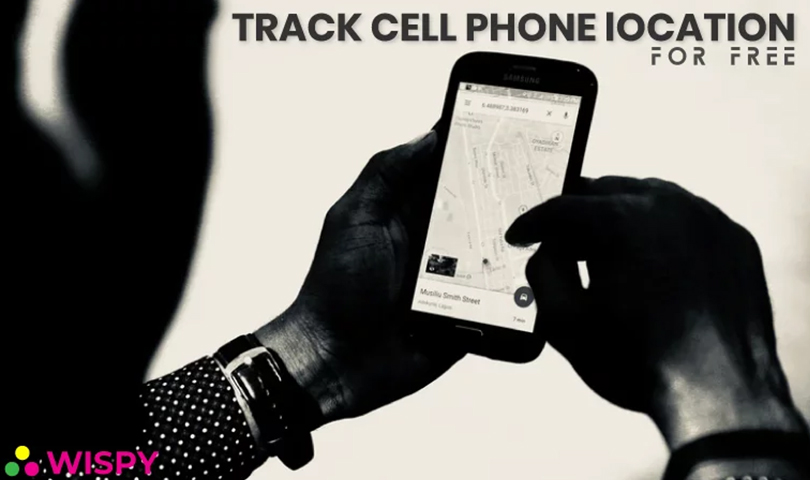
Can you track cell phone location for free? Yes, and you don’t need a complicated setup. Whether you worry about your teen’s whereabouts or you have lost your own phone, several free tools can help. Therefore, this guide covers five options, plus what to do when you need more.
Parenting comes with many responsibilities. Caring for little kids is easy, but keeping teens safe is harder. Where is your child right now? Are they at school? Why aren’t they home yet? Questions like these worry every parent. Meanwhile, our phones hold personal data, so a lost or stolen phone is a real problem too.
Fortunately, every one of these problems has a solution.
Why Track Cell Phone Location? Benefits for Parents
Children and teens are vulnerable to bullying, unsafe contacts, and other dangers. In addition, they don’t always tell you where they are. Location tracking helps parents to:
- Check the live GPS location of their children.
- Review where their kids have been.
- Confirm that their kids arrived at school safely.
- Spot visits to unsafe places.
- Find out where their kids went after school.
Most of these tools use GPS and Wi-Fi signals to send a phone’s location to you. As a result, you get peace of mind, and your child stays safer.
5 Free Ways to Track Cell Phone Location
Technology has made phone tracking much easier. In fact, it can even help you find a lost phone with tracker apps. Let’s look at five free options.
1. Google Maps Location Sharing
Google Maps is a leading navigation app, and it also lets people share their location with you. Your family member turns on sharing in the app, and you then see them on your map.
- Features: Live location sharing, sharing with one or more people, and accurate results.
- Works on: Both Android and iPhone.
2. Google Find Hub (Find My Device)
Google’s Find Hub (formerly Find My Device) helps you locate a lost or stolen Android phone or tablet. Parents can also use it on a device signed in to a Google account they manage.
- Features: Location on a map, remote ringing, locking, and erasing.
- Works on: Android phones and tablets only.
Read more: How to track an IMEI number
3. Apple Find My
Apple replaced the old Find My Friends app with Find My, which is built into every iPhone. It is free, and it shows shared locations of family and friends. Moreover, you can locate your own lost devices.
- Features: Live location sharing, Lost Mode, and remote lock.
- Works on: iPhone, iPad, and Mac only.
4. Google Family Link
Google Family Link is free and designed for parents. With it, you can see a child’s device location, set screen time limits, and approve apps.
- Features: Location, screen time, and app controls.
- Works on: Android and iPhone (for the parent’s device).
5. Life360
Life360 is a popular family location app. Its free plan covers basic location sharing, and it adds place alerts for home or school. However, some extra features need a paid plan.
- Features: Live map, location history on paid plans, and arrival alerts.
- Works on: Android and iPhone.
Note: The original list included Where’s My Droid and Geo-Tracker. I replaced them because Geo-Tracker is a hiking and trip recorder rather than a phone finder, and I couldn’t confirm that Where’s My Droid is still maintained.
Legal and Ethical Use of Location Tracking
Track a phone only with the owner’s knowledge and consent. That includes your minor child, a family member who agrees, or a company phone under a clear policy. In contrast, secretly tracking another adult is illegal in many places. Furthermore, tell your kids about location sharing. As a result, they see it as a safety tool, not surveillance.
Need More? Try TheWiSpy Mobile Tracker
Free apps cover the basics. However, they often lack advanced features. For that reason, some parents choose a paid tool such as the TheWiSpy mobile tracker. It gives you extra location features from one dashboard:
- Location history
- Live GPS location
- Entry and exit times for saved places
- Wi-Fi-based locations
- Visited addresses
- Customizable GPS update intervals
Note that TheWiSpy is a paid app with monthly and yearly plans, so compare options on the pricing page first. Also, install it only on your own minor child’s phone, or on a device you own.
Final Thoughts: Track Cell Phone Location Wisely
Many people prefer free apps, and they work well for simple needs. So, start with Google Maps, Find Hub, Apple Find My, Family Link, or Life360. If you need a fuller package, a premium tool like TheWiSpy can add more. Above all, be open with your family about location sharing. How do you plan to track your phone?

Related Posts
How to Track IMEI Number: 5 Ways to Find Your Lost Phone
Can you track IMEI number details to find a lost...
Read More
BYOD Monitoring Policy: Company-Owned vs. Personal Devices
A BYOD monitoring policy needs to account for a fundamental...
Read More
Phone Rules for Teens Without Spying: A Practical Guide
Not every family situation calls for monitoring software. If you're...
Read More
Install TheWiSpy Monitor App Now and Start Exploring Your Kid’s and Employee’s Digital Space
- Protect Your Kids
- Secure Your Business
- Backup Personal Data

 Affiliate Login
 Spanish