
 English
 Spanish
How to Track Location on WhatsApp?
Posted in Social Media by admin
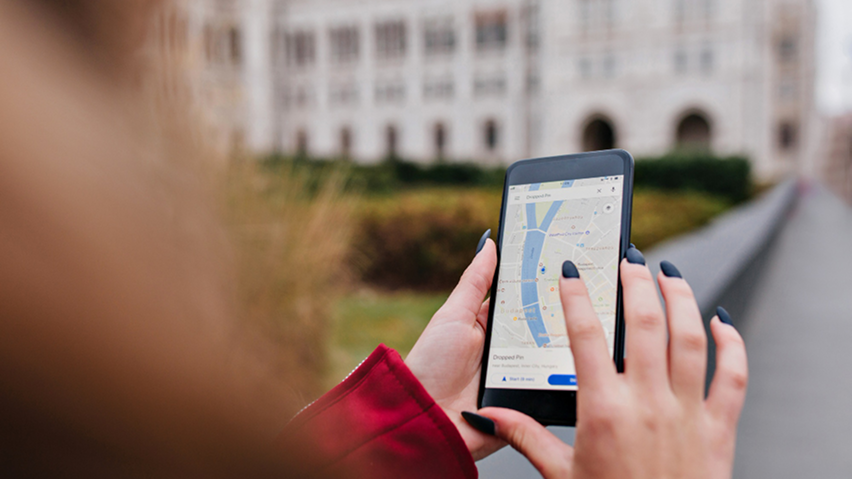
How to Track and Share Location on WhatsApp
WhatsApp lets people share their location with friends and family, making it easier to coordinate meetups and stay connected. Its Live Location feature allows someone to share their movements in real time for a selected period.
But can you find someone’s live location using only their WhatsApp number? No. A phone number alone does not give you access to another person’s live GPS location. In this guide, we’ll explain how WhatsApp location sharing works, how to share or stop sharing a location, and how Android location-monitoring apps may help with authorized device supervision.
How Does WhatsApp Location Tracking Work?
There are three main approaches to viewing a location associated with WhatsApp:
- WhatsApp Live Location: Someone chooses to share their live location with you in a chat.
- Google Maps Location Sharing: Someone shares their location and sends you a link, including through WhatsApp.
- Android location-monitoring software: A compatible app may provide GPS information from a device you are authorized to monitor, depending on its features, permissions, and device compatibility.
These methods work differently. WhatsApp does not reveal a person’s live GPS location just because you know their number. Location monitoring through a separate Android application depends on the app and the device being configured correctly.
Method 1: Use TheWiSpy for Authorized Android Monitoring
Parents may want to supervise a child’s device, while organizations may need to manage eligible company-owned devices. An Android monitoring application may help when the device, software, permissions, and intended use are supported.
TheWiSpy is an Android monitoring platform. Before choosing a plan, review the available features and confirm that they meet your needs and support your device’s Android version.
Getting Started
- Review the plans: Visit the TheWiSpy pricing page to compare available subscriptions.
- Check compatibility: Confirm that your Android device and operating-system version are supported.
- Follow the setup instructions: Install and configure the app on a device you are authorized to monitor, following the official guidance and required permissions.
- Check the dashboard: Sign in to your account and review the features available for your configured device.
- Troubleshoot if needed: If information is missing or delayed, check device permissions, location settings, connectivity, and the official troubleshooting instructions.
Available features and accuracy can depend on the device, Android version, permissions, battery restrictions, and network connection. Confirm current compatibility before purchasing, especially for newer Android versions.
Who May Benefit from Android Monitoring?
- Parents and guardians: Supervise a child’s device in an age-appropriate and responsible way.
- Families: Coordinate safety arrangements and location sharing by mutual agreement.
- Organizations: Manage eligible company-owned devices under a clear, lawful, and disclosed policy.
Method 2: Share Live Location on WhatsApp
WhatsApp includes a built-in feature for sharing a live location in an individual or group chat. The person sharing the location chooses to start sharing and selects the duration.
How to Share Your Live Location
- Open a chat: Select the individual or group with whom you want to share your location.
- Open the attachment menu: Tap the paperclip or plus icon, depending on your device and WhatsApp version, and choose Location.
- Select Live Location: If the option is available, choose Share live location.
- Choose a duration: Select one of the durations offered by WhatsApp.
- Send your location: Send the message so the recipients can view the shared location during the selected period.
WhatsApp may change its interface, so the exact labels and steps can vary by device and app version. For current instructions, visit the WhatsApp Help Center.
How to Stop Sharing Your Live Location
- Open the WhatsApp chat where you shared your live location.
- Find the active live-location message.
- Tap Stop sharing if that option is available, then confirm if prompted.
A static location pin is different from Live Location. A static pin identifies a place, while Live Location can update during the sharing period.
Method 3: Share a Location Through Google Maps and WhatsApp
Google Maps provides another way for people to share their location with selected contacts. They can send a sharing link through WhatsApp if that option is available.
- Open Google Maps: Use the phone belonging to the person who wants to share their location.
- Open the profile menu: Tap the profile picture or account icon.
- Select Location Sharing: Choose the sharing option and review the available duration and recipients.
- Share the link: Select WhatsApp if offered, then send the link to the intended recipient.
- View the shared location: The recipient can open the link to view the location according to the sharing settings.
The person sharing their location controls the sharing arrangement and can stop it. For updated steps, consult Google Maps Help.
Can You Track a WhatsApp Number Without Location Sharing?
No. WhatsApp does not provide a feature that reveals someone’s live GPS location simply by entering their phone number.
Be cautious of websites or apps that promise to reveal an exact location from a WhatsApp number alone. Avoid paying for services or installing unfamiliar software based on claims that cannot be verified.
If you need someone’s location, ask them to share it through WhatsApp or Google Maps. For parental supervision or company-device management, choose a suitable tool for a device you are authorized to monitor.
WhatsApp Location Sharing vs. Android GPS Monitoring
- WhatsApp Live Location: The person starts location sharing in a chat.
- Google Maps Location Sharing: The person configures location sharing with selected contacts.
- Android monitoring software: Access depends on the application’s supported features, installation, permissions, and compatibility with the device.
These methods are not interchangeable. An Android monitoring app does not automatically gain access to WhatsApp’s own location-sharing data. Check the product’s documentation to understand exactly which features it supports.
How to Protect Your Location Privacy
- Share your live location only with people you trust.
- Review active location-sharing sessions in WhatsApp and Google Maps.
- Stop sharing when you no longer need to share your whereabouts.
- Review location permissions for apps installed on your Android phone.
- Keep your phone’s operating system and applications updated.
- Avoid unfamiliar services that promise secret or unrestricted location tracking.
Parents looking for broader guidance on keeping children safe on WhatsApp can also read our WhatsApp Safety for Parents guide.
Frequently Asked Questions
Can I see someone’s live location on WhatsApp?
You can view someone’s live location when they share it with you through WhatsApp. Having their phone number alone does not provide access to their live GPS location.
Can I track a WhatsApp number’s location for free?
You can view a location someone shares with you through WhatsApp or Google Maps. A phone number alone does not reveal someone’s exact live location.
Does WhatsApp Live Location update in real time?
Live Location is designed to update the shared location during the selected period. Updates may depend on the phone’s settings, permissions, connectivity, and other device conditions.
Can I stop sharing my live location?
Yes. Open the relevant WhatsApp chat, find the active live-location message, and use the available Stop sharing option.
Does TheWiSpy work on every Android phone?
Compatibility depends on the device model, Android version, required permissions, and the features being used. Check current compatibility and official setup guidance before purchasing.
Final Thoughts
WhatsApp and Google Maps provide convenient ways to share locations with other people. For parents and organizations that need additional Android device supervision, monitoring software may be another option when used lawfully and on a compatible, authorized device.
Choose the method that fits your needs, understand its limitations, and respect other people’s privacy when using location-related tools. To learn more about TheWiSpy’s available plans, visit the pricing page.

Related Posts
How to See Deleted WhatsApp Messages
How to See Deleted WhatsApp Messages: 3 Methods Have you...
Read More
Dangers of Tinder: 5 Risks You Should Know
The Dangers of Tinder No One Knows About The dangers...
Read More
Instagram Addictive? Causes, Signs & Solutions
Why Is Instagram So Addictive? Let's Find Out Instagram addictive...
Read More
Install TheWiSpy Monitor App Now and Start Exploring Your Kid’s and Employee’s Digital Space
- Protect Your Kids
- Secure Your Business
- Backup Personal Data

 Affiliate Login
 Spanish