
 English
 Spanish
10 Best GPS Tracker Apps for Family Location Sharing
Looking for reliable GPS tracker apps to share locations with family or keep track of a child’s journey? GPS location sharing can make everyday coordination easier, help families know when someone has arrived safely, and provide useful tools for finding a lost device.
However, not every location tracking app offers the same features, privacy controls, device compatibility, or pricing. Therefore, it is important to compare the available options before choosing one.
In this guide, we compare 10 GPS tracker apps and family location tools for Android and iPhone. We look at real-time location sharing, location history, geofencing, family safety features, pricing, and privacy considerations.
10 Best GPS Tracker Apps for Family Location Sharing
GPS tracking uses the Global Positioning System (GPS) to determine the geographical location of a compatible device. In everyday life, GPS technology is used for navigation, emergency services, fleet management, fitness apps, and family location sharing.
For families, the most useful GPS tracker apps generally combine live location sharing with features such as location history, arrival and departure alerts, safe zones, SOS tools, and device-finding capabilities.
Most importantly, location sharing should be transparent. Before using a family tracking service, make sure everyone understands what information is shared, who can access it, and how long location data is retained. For children, parents or guardians should follow applicable laws and the service’s terms.
With those considerations in mind, here are 10 options worth comparing.
- Google Family Link
- TheWiSpy GPS Location Tracker
- Life360
- FamiSafe
- Findmykids
- GeoZilla
- Glympse
- Apple Find My
- Google Find Hub
- Family location sharing through built-in phone features
How to Choose the Best GPS Tracker App
Before installing one of these GPS tracker apps, consider what you actually need. A family that only wants temporary location sharing may not need a full parental-control platform. Conversely, parents looking for screen-time management may want an app that combines location features with broader family safety controls.
- Real-time location: Check whether the app supports live or recently updated location information.
- Location history: If route history matters, check how long historical data is stored.
- Geofencing: Look for arrival and departure alerts around places such as home or school.
- Device compatibility: Confirm whether the service works with Android, iPhone, or both.
- Privacy controls: Understand who can see the location and how sharing can be stopped.
- Pricing: Compare free features with paid plans before subscribing.
- Battery and connectivity: Remember that GPS accuracy and update frequency can depend on battery level, permissions, network access, and device settings.
1. Google Family Link
Google Family Link is designed for parental controls and family safety. In addition to helping parents manage screen time and app permissions, Family Link can provide a child’s device location when the required device, account, and location settings are enabled.
As a result, Family Link can be a practical choice for Android families that want location features alongside broader parental-control tools.
Google Family Link GPS Features
- Child device location.
- Location-related notifications and alerts.
- Screen-time controls.
- App management.
- Privacy and account controls.
Price: Availability and features can vary by region and account configuration. Check Google’s current Family Link information before publishing pricing.
2. TheWiSpy GPS Location Tracker
TheWiSpy offers GPS-related tracking features intended for supported Android devices. For family use, any location-sharing or monitoring capability should be used transparently and only where you have the appropriate authority or consent.
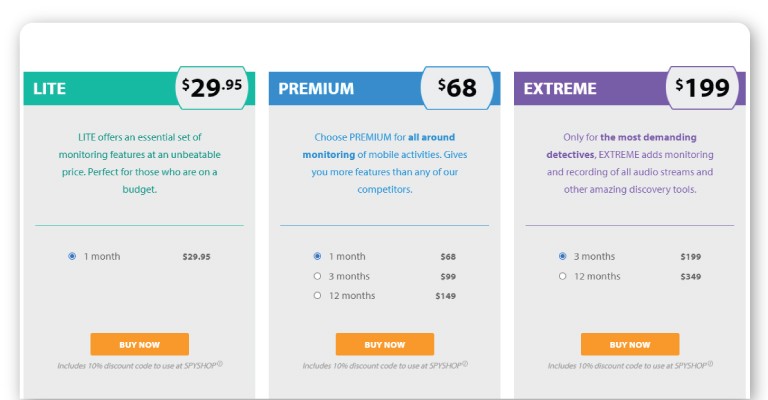
Before choosing a paid GPS tracking service, review its current supported devices, permissions, privacy policy, subscription terms, and location-data practices. Features and pricing can change, so older screenshots or prices should not be treated as current specifications.
TheWiSpy GPS Tracker Features
- GPS-based location information on supported devices.
- Location-related monitoring features.
- Remote access through supported account features.
- Android compatibility depending on the current product version.
- Location information for authorized family-safety use cases.
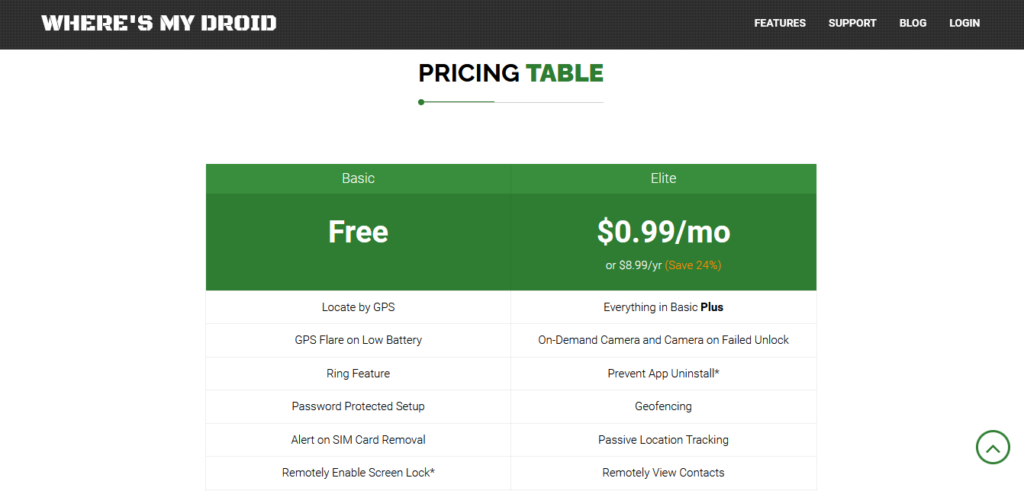
Price: Check the current TheWiSpy pricing page because subscription plans can change.
3. Life360 Family Location Sharing
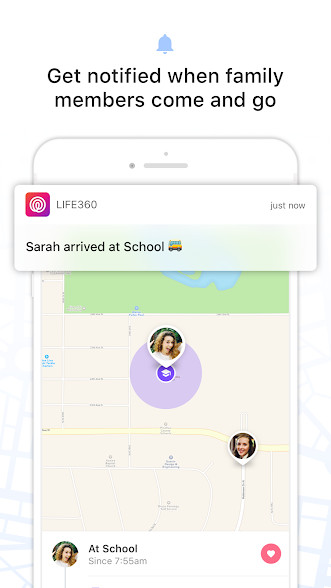
Life360 is one of the better-known family location-sharing platforms. It combines location sharing with features such as place alerts, location history, driving safety, and emergency features.
Life360 supports opt-in location sharing, so members of a Circle can control whether their location is being shared. The service also offers free and paid plans, although features and prices can change over time.
L
Life360
+1
Life360 GPS Tracker App Features
- Real-time family location sharing.
- Location history.
- Place and arrival alerts.
- SOS and safety features on supported plans.
- Driving and crash-related safety features on supported plans.
Price: Free plan available; premium plans are available at additional cost. Check the official Life360 website for current regional pricing.
4. FamiSafe GPS Location Tracker
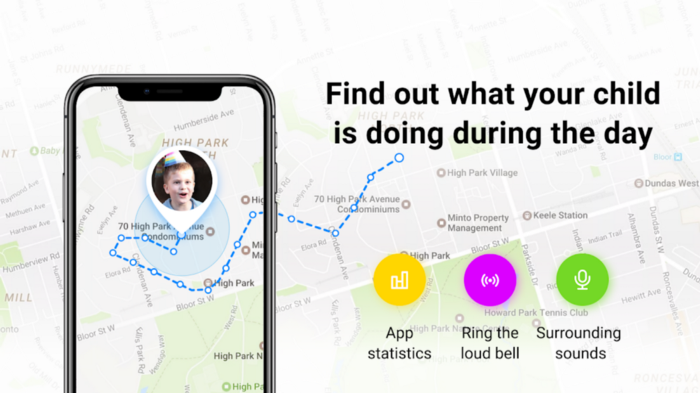
FamiSafe is a parental-control platform that includes GPS location features. Its current feature set includes real-time location, location history, geofencing, and alerts, alongside screen-time and content-safety tools.
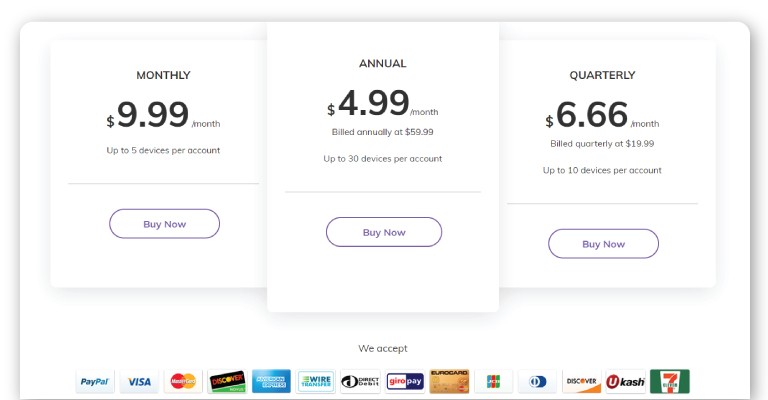
Therefore, FamiSafe may suit parents who want location features together with broader digital-parenting controls. Its official pricing page currently lists monthly, quarterly, and annual plans, but pricing should be checked before publication because offers can change.
F
FamiSafe
+1
FamiSafe GPS Tracker App Features
- Real-time location tracking.
- Location history.
- Geofencing and safe-zone alerts.
- Screen-time management.
- App and web controls.
- SOS-related family safety features.
Price: Paid plans are available; verify current pricing on the official FamiSafe website.
5. Findmykids GPS Tracker App
Findmykids focuses specifically on family and child location tracking. The service provides real-time location information, route history, place alerts, and SOS-related features.
Parents should still explain location sharing to children in an age-appropriate way and use the service according to local laws and the app’s privacy terms. Findmykids currently describes coverage across Android and iPhone and provides information about real-time location and location history.
F
Findmykids
Findmykids GPS Tracker Features
- Real-time child location.
- Location history and route information.
- Place and safety alerts.
- SOS functionality.
- Family location tools.
Price: Free and paid options may be available depending on the platform and region. Check the current official listing before subscribing.
6. GeoZilla Family GPS Tracker
GeoZilla is a family safety and location-sharing service that provides real-time location features, place alerts, location history, SOS functionality, and additional safety tools.
Notably, GeoZilla describes its location-sharing system as opt-in: a location request is sent to the recipient, who gives consent before the requester can receive the location.
G
Geozilla
+1
GeoZilla GPS Tracker App Features
- Real-time family location sharing.
- Location history.
- Place and arrival alerts.
- SOS and safety tools.
- Crash and driving-related features on supported plans.
Price: Free access and premium options may vary by region. Verify the current plan and price before publishing.
7. Glympse Temporary GPS Location Sharing
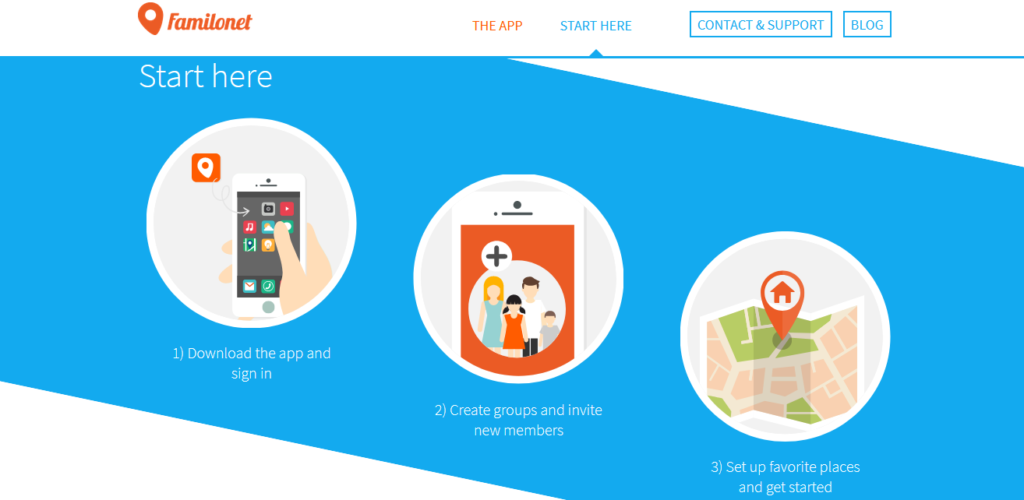
Glympse takes a slightly different approach to GPS location sharing. Instead of requiring continuous family tracking, it lets users share their real-time location temporarily through a link.
This can be useful when meeting someone, coordinating a journey, sharing a delivery route, or letting a family member know when you are likely to arrive. Glympse says its temporary sharing can automatically expire, giving users more control over how long their location remains available.
G
Glympse
+1
Glympse GPS Location Sharing Features
- Temporary real-time location sharing.
- Shareable location links.
- Automatic sharing expiration.
- Cross-platform sharing.
- Private groups for supported use cases.
Price: The basic mobile app is available for free; premium options may apply to business or advanced use.
8. Apple Find My for Family Location Sharing
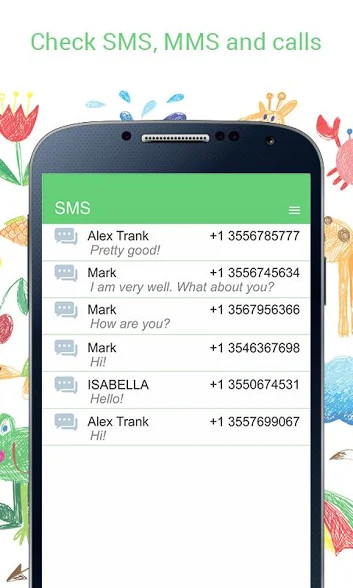
For iPhone users, Apple Find My is a built-in option for sharing locations with family members and finding supported devices.
With Family Sharing and Location Sharing enabled, family members can see shared locations in Find My. Apple also provides location-change notifications and tools for locating missing family devices. Family members can stop sharing their location when appropriate.
A
Apple Support
+1
Apple Find My GPS Tracker Features
- Family location sharing.
- Live Location on supported devices and configurations.
- Location-change notifications.
- Lost-device location tools.
- Integration with Apple Family Sharing.
Price: Included with compatible Apple devices and services; hardware and other Apple services may have separate costs.
9. Google Find Hub for Finding Devices
Google’s device-finding ecosystem is another useful option when the primary goal is locating your own lost Android device or compatible belongings. It is different from a dedicated family GPS tracker because its main purpose is device finding rather than continuous family location sharing.
Therefore, consider a device-finding service when your main concern is recovering a lost phone rather than monitoring a family member’s daily location.
Google Device-Finding Features
- Find supported devices.
- Locate lost devices.
- Use Google’s device-finding ecosystem.
- Useful for personal device recovery.
Price: Availability depends on the device and Google account ecosystem.
10. Built-In Family Location Sharing on Android and iPhone
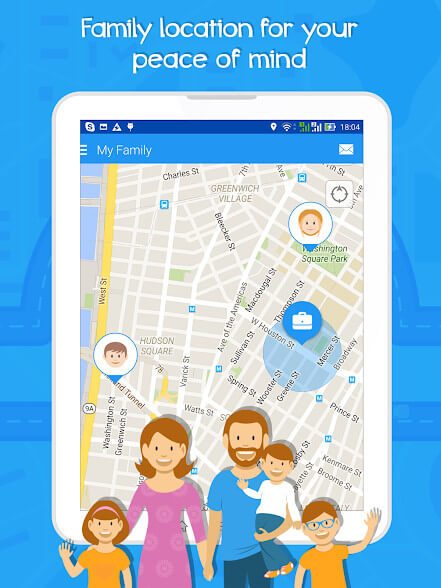
You may not need a separate GPS tracker app at all. Both Android and iPhone ecosystems provide built-in location-sharing options that can be useful for families and trusted contacts.
For example, iPhone users can share their location through Find My, Messages, or Maps. Android users can use Google’s family and location-sharing tools depending on their device, account, and region.
Built-In GPS Location Sharing Features
- No separate third-party tracking service may be required.
- Location sharing with selected contacts.
- Device-finding capabilities.
- Privacy controls built into the operating system.
- Integration with existing family accounts.
Price: Many built-in location-sharing features are included with compatible devices and accounts.
What Features Should the Best GPS Tracker Apps Have?
The best GPS tracker apps are not necessarily the ones with the largest number of features. Instead, choose an app that provides the location information you actually need while giving users meaningful control over their privacy.
Real-Time GPS Location
Real-time location can help family members coordinate journeys and confirm that someone has reached a destination. Nevertheless, “real-time” does not always mean continuous or perfectly precise updates. GPS accuracy can change because of signal strength, device settings, battery level, buildings, and internet connectivity.
Location History and Route Tracking
Some GPS tracker apps store previous locations or routes. This can be useful for understanding travel patterns or confirming where a family member’s device was previously located. However, check the provider’s retention policy before enabling history because location data can be sensitive.
Geofencing and Location Alerts
Geofencing allows users to create virtual boundaries around places such as home, school, or work. When supported, an app can send an alert when a shared device enters or leaves the selected area.
Privacy and Consent Controls
Privacy should be one of the first things you evaluate. Look for clear controls that show who can access a location, how sharing can be stopped, and what information is retained. For example, Life360 states that location sharing requires the relevant permissions and that its service is opt-in.
L
Life360
+1
Why Use GPS Tracker Apps for Family Safety?
Family location sharing can be useful in many everyday situations. Parents may want to know when a child has arrived at school, family members may coordinate during a trip, or someone may share a temporary location while travelling home.
Likewise, location sharing can help families respond more quickly when someone needs assistance. Many modern services combine GPS location with features such as SOS alerts, place notifications, device finding, and driving safety tools.
However, a GPS tracker is not a substitute for communication or emergency services. Location information can be delayed or inaccurate, so users should understand the limitations of their chosen app.
GPS Tracker Apps and Privacy: What You Should Know
Because location data can reveal where someone lives, works, studies, or travels, privacy should be considered before installing any GPS tracker app.
- Use location sharing with people who are authorized to receive it.
- Review app permissions before installation.
- Check the provider’s privacy policy and data-retention practices.
- Use strong passwords and multi-factor authentication where available.
- Disable location sharing when it is no longer necessary.
- Keep the operating system and tracking app updated.
- Do not secretly install tracking software on another person’s device.
For children and teenagers, parents should also consider age, maturity, local requirements, and family expectations when deciding how location sharing will work.
GPS Tracker Apps: Which One Should You Choose?
The right choice depends on your device and your specific goal. If you use Android and want parental controls alongside location features, Google Family Link or FamiSafe may be worth considering. If your family wants a dedicated location-sharing platform, Life360, Findmykids, or GeoZilla may be more suitable.
On the other hand, iPhone families may find that Apple Find My already provides the location-sharing functionality they need. For temporary sharing rather than continuous family tracking, Glympse can be a simpler option.
Ultimately, the best GPS tracker apps balance useful location features, device compatibility, privacy controls, reliability, and cost. Always verify the provider’s current features and pricing before making a purchase.
Final Thoughts on GPS Tracker Apps
GPS location technology has become a practical part of modern family safety and communication. From built-in smartphone tools to dedicated family location services, there are now several ways to share a location when it is genuinely useful.
Rather than choosing an app simply because it claims to offer the most tracking features, compare privacy controls, location accuracy, device compatibility, alert options, and current pricing. Most importantly, use location-sharing technology transparently and responsibly.
We hope this updated guide helps you compare the best GPS tracker apps and choose a location-sharing solution that fits your family’s needs.

Related Posts
Top Parental Control Apps for Android in 2026 | TheWiSpy
Are you looking for the top parental control apps for...
Read More![Parental Control Apps: 10 Best Picks for Kids’ Safety [2026]](https://www.thewispy.com/wp-content/uploads/2020/11/10-Top-Non-Intrusive-Surround-Recording-Spy-Apps-for-Ambient-Listening-2020-blog-post.jpg)
Parental Control Apps: 10 Best Picks for Kids’ Safety [2026]
Parental control apps help you guide your children’s digital lives...
Read More
10 Top-Selling Call History Tracker Apps for Call Logs Monitoring
Call History Tracker Apps: Top Picks for Parents and Employers...
Read More
Install TheWiSpy Monitor App Now and Start Exploring Your Kid’s and Employee’s Digital Space
- Protect Your Kids
- Secure Your Business
- Backup Personal Data

 Affiliate Login
 Spanish