
 English
 Spanish
Best Parental Control Apps Compared (2026)
Posted in Mobile Tracking by admin
Finding the best parental control apps for your family isn’t about picking the single highest-rated option — the right choice depends heavily on what you’re actually trying to solve: content filtering, screen time limits, social media monitoring, or deeper visibility into messages and activity. This guide compares the leading options by what each one is genuinely best at, rather than declaring one universal winner.
If you’re just getting started, our guide to setting up parental controls walks through the basics before you pick a tool.
Quick Comparison of the Best Parental Control Apps
| App | Best For | Platforms | Starting Price |
|---|---|---|---|
| Qustodio | All-around content filtering + screen time | Android, iOS, Windows, Mac | Free tier available; paid plans from ~$4-5/mo |
| Bark | AI-powered social media & messaging alerts | Android, iOS | From ~$7/mo |
| Norton Family | Web filtering + ease of use | Android, iOS, Windows | Bundled with Norton security plans |
| Aura | Comprehensive teen-focused monitoring | Android, iOS | Higher-tier pricing, bundled with identity protection |
| TheWiSpy | Deep Android activity monitoring | Android (limited iOS) | From $5.99/mo |
Qustodio: Best All-Around Pick
Qustodio consistently ranks near the top of independent reviews for its balance of screen time management, content filtering, and cross-platform support. Reviewers highlight its reliable location tracking as a particular strength, and it’s one of the few options offering a genuinely usable free tier alongside paid plans. It’s a strong choice for parents who want one tool covering the basics well across every device in the household.
Bark: Best for Social Media & Messaging Alerts
Bark takes a different approach than most competitors — rather than giving parents a full activity log to review, it uses AI to scan messages, photos, and social platforms for signs of cyberbullying, self-harm risk, or predatory contact, and only alerts parents when something’s flagged. Independent testing has found its alert reliability inconsistent in recent evaluations, with some reviewers noting the setup process is more frustrating than competitors — worth knowing if you’re comparing it against Qustodio specifically. It remains a popular choice for parents of teens who want risk-alerting rather than constant activity review.
Norton Family: Best for Web Filtering
Norton Family leans on Norton’s broader security expertise, and its web filtering and phishing protection are frequently cited as its standout strength. It doesn’t offer the AI-driven bullying/risk detection that Bark provides, but for parents mainly concerned with blocking inappropriate sites and getting clear browsing reports, it’s a reliable, easy-to-use option.
Aura: Best for Comprehensive Teen Monitoring
Aura has emerged as a strong pick in recent independent testing, particularly for teens, combining mood-profiling features, safe gaming monitoring, and broader digital privacy tools beyond just parental controls. It tends to sit at a higher price point, often bundled with identity protection features, making it a better fit for families wanting an all-in-one digital safety subscription rather than a standalone parental control app.
TheWiSpy: Best for Deep Android Activity Monitoring
TheWiSpy takes a more comprehensive monitoring approach than the content-filtering-focused apps above — full message content, call logs, GPS history, and social app activity logs rather than just alerts or web filtering. This makes it a better fit for parents who want complete visibility into what’s happening on a child’s Android device, rather than a lighter-touch filtering and screen-time tool. It’s a meaningfully different category of product than Qustodio or Norton Family, closer in approach to Bark’s monitoring depth but with full activity logs rather than AI-summarized alerts, and priced more affordably for Android-only households. See our full TheWiSpy features breakdown for the complete list of what’s included.
How to Choose the Best Parental Control App for Your Family
- Want the lightest-touch option that still covers the basics? Qustodio.
- Mainly worried about cyberbullying or predatory contact, want alerts rather than constant review? Bark.
- Primarily concerned with web filtering and blocking inappropriate sites? Norton Family.
- Want an all-in-one digital safety and identity protection subscription? Aura.
- Want full visibility into messages, calls, and activity on an Android device specifically? TheWiSpy.
For more on matching a tool to your family’s needs, see our full buyer’s guide.
Frequently Asked Questions
Do I need more than one parental control app?
Usually not — most families are better served picking the app that matches their actual concern (filtering vs. deep monitoring vs. risk alerts) rather than running multiple overlapping tools.
Which app works best for younger kids vs. teens?
Lighter filtering tools like Qustodio or Norton Family tend to suit younger kids well. For teens, where the concern often shifts toward social dynamics and messaging content, Bark’s alerting approach or TheWiSpy’s fuller activity logs are more commonly used, depending on how much detail a parent wants.
Are these apps detectable by the child?
Detectability varies by app and by how tech-savvy the child is; none can guarantee complete invisibility against a determined, technically capable teen. Filtering-focused apps like Qustodio are often installed openly as a household rule, while deeper monitoring tools are more commonly run in the background.
What’s the difference between “monitoring” and “filtering” apps?
Filtering apps (Norton Family, largely Qustodio) focus on blocking content and setting limits. Monitoring apps (TheWiSpy, and to some extent Bark) focus on giving parents visibility into activity, messages, and behavior, rather than restricting access outright.
For general research on kids’ online safety trends, Common Sense Media’s research library is a useful outside reference point.
Bottom Line
Start with the specific problem you’re trying to solve rather than picking blindly from a list of the best parental control apps — a family worried about screen time addiction needs a very different tool than one dealing with a specific safety concern requiring message-level visibility.

Related Posts
Is it Possible to Track Cell Phone Location for Free?
Can you track cell phone location for free? Yes, and...
Read More
How to Track IMEI Number: 5 Ways to Find Your Lost Phone
Can you track IMEI number details to find a lost...
Read More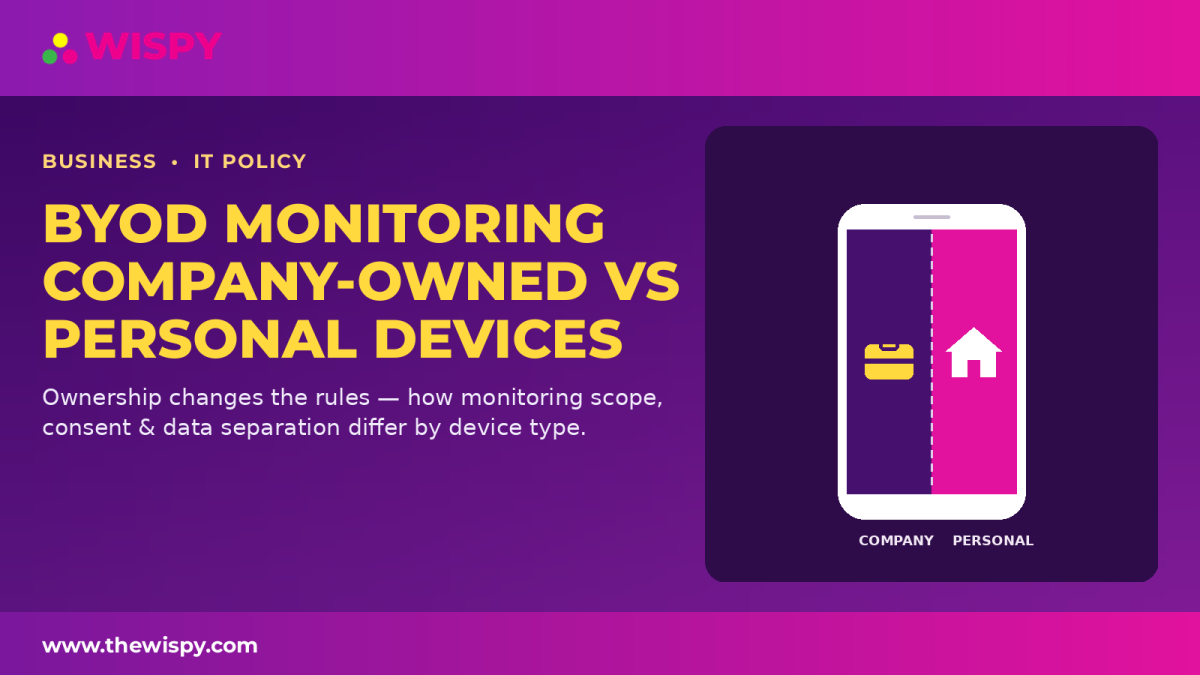
BYOD Monitoring Policy: Company-Owned vs. Personal Devices
A BYOD monitoring policy needs to account for a fundamental...
Read More
Install TheWiSpy Monitor App Now and Start Exploring Your Kid’s and Employee’s Digital Space
- Protect Your Kids
- Secure Your Business
- Backup Personal Data

 Affiliate Login
 Spanish